Support for your

Coffee

Coffee

Brew unit cannot be inserted

The brew unit cannot be inserted in the coffee machine.

The brew unit drive was not in the home position when the brew unit was removed.

Initialize the brew unit drive as follows:

  • Insert the drip tray and grounds container into the coffee machine.

  • Close the coffee machine door.

  • Switch the coffee machine on.

  • Switch the coffee machine off.

  • Switch the coffee machine on again.

This will automatically initialize the brew unit drive and put it back into the home position. Noises can be heard when initializing the brew unit.

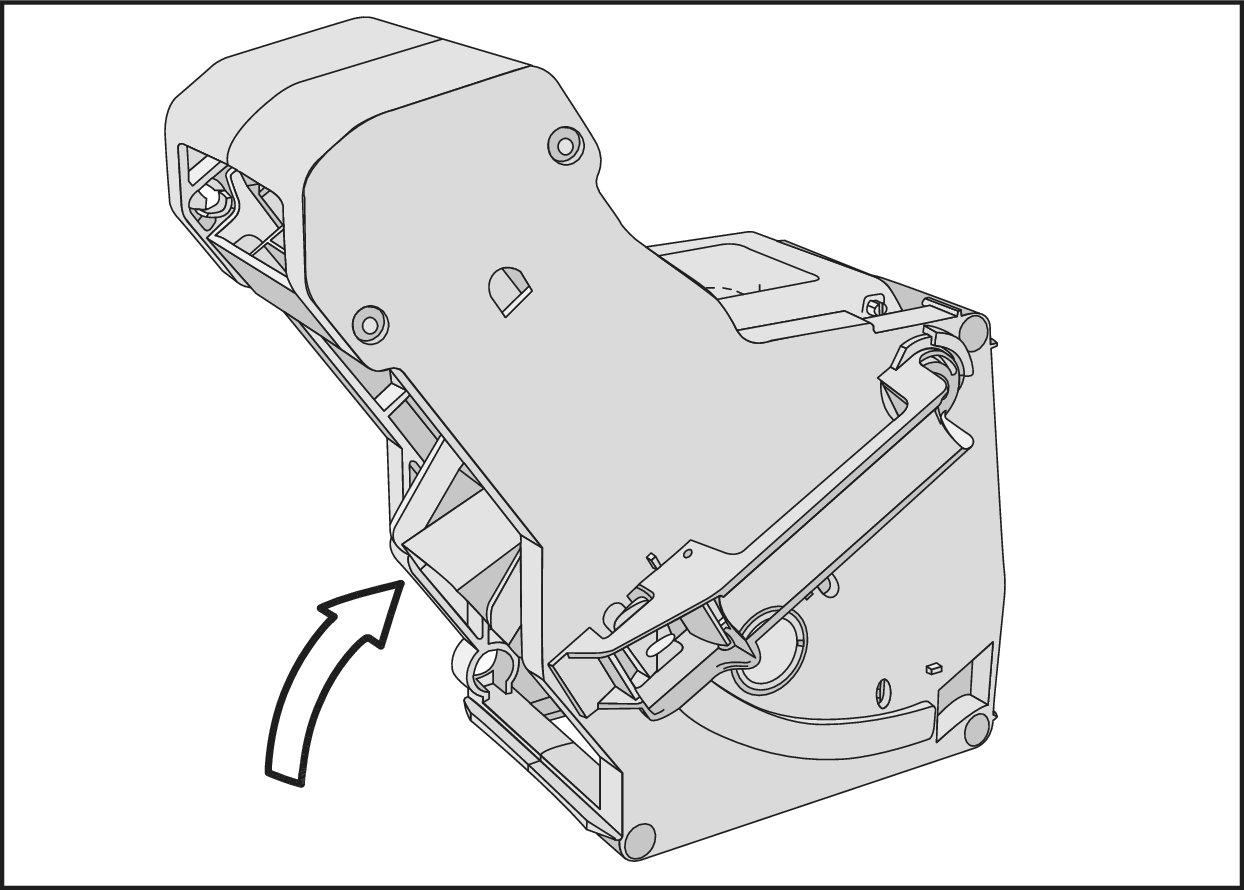
CVA 2xxx to CVA 6xxx:
Pushing into home position | Coffee ejector | CVA xxxx coffee machine

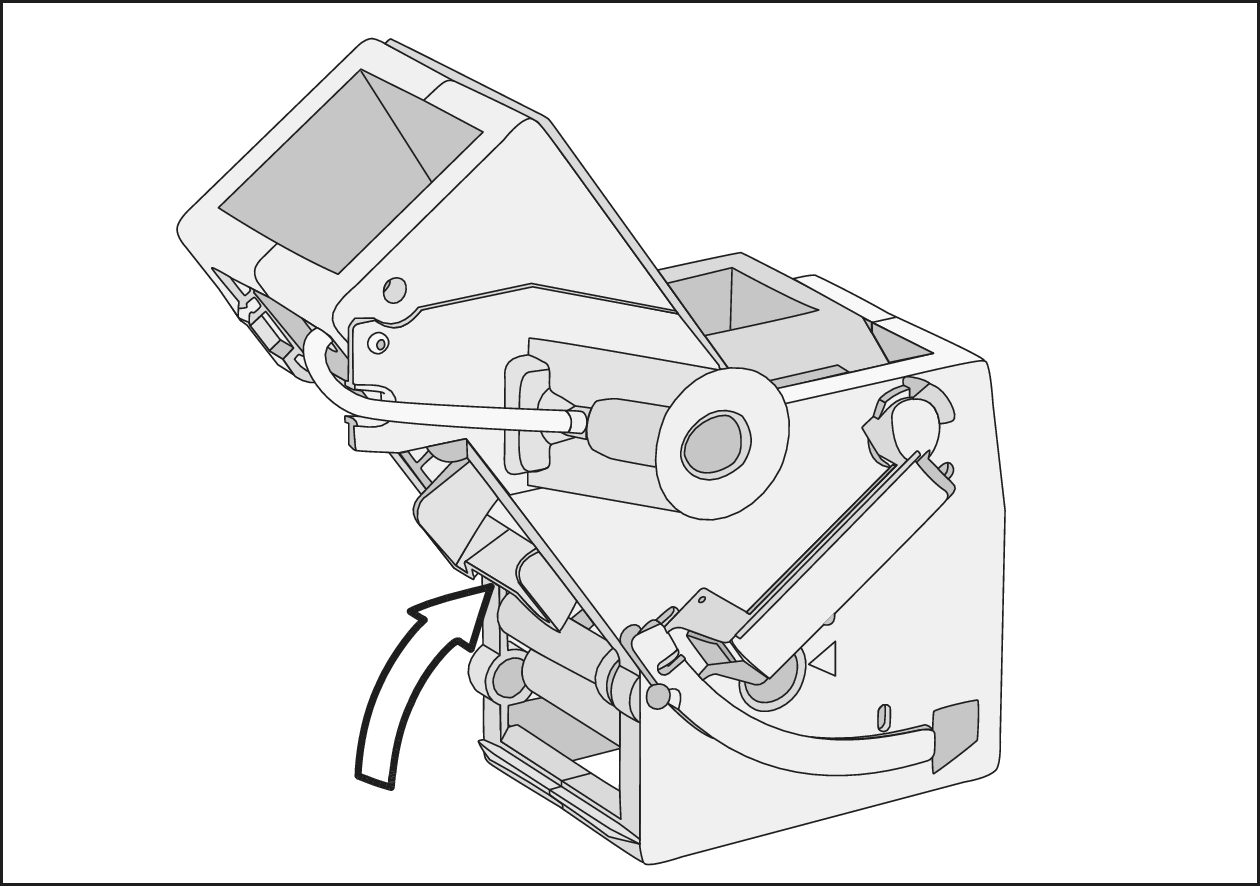
CVA 7xxx and CM xxxx:

Pushing into home position | Coffee ejector | CM xxxx and CVA 7xxx coffee machine

If necessary, push the coffee ejector of the brew unit into the correct position.

After initialization, slide the brew unit into the coffee machine.
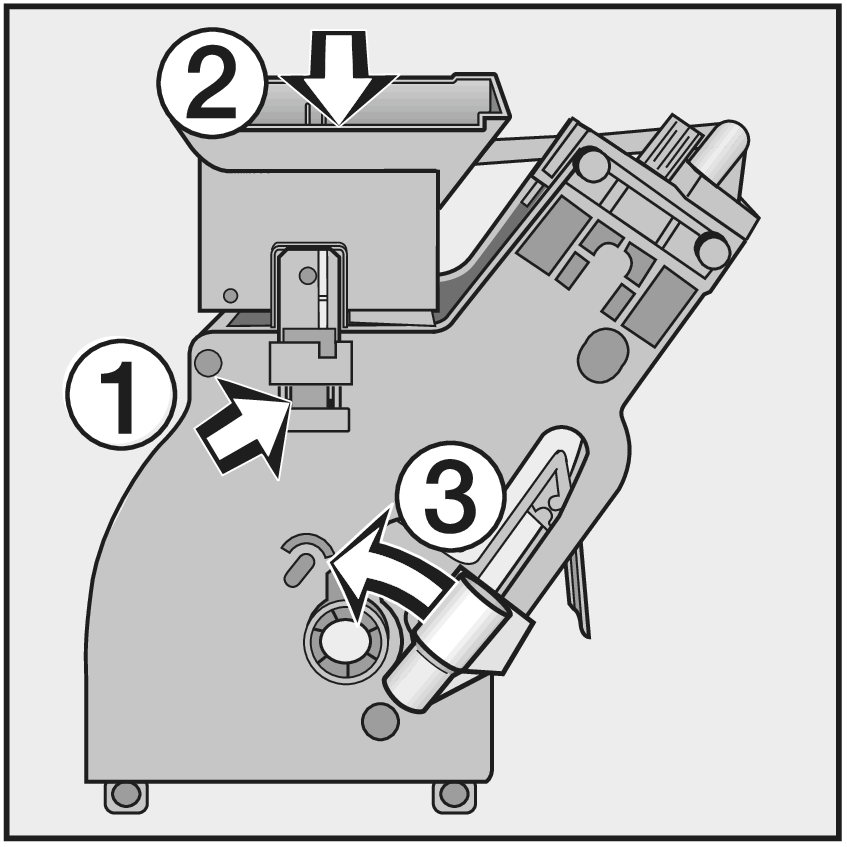
The brew unit is not in its home position.

CVA 6xx:

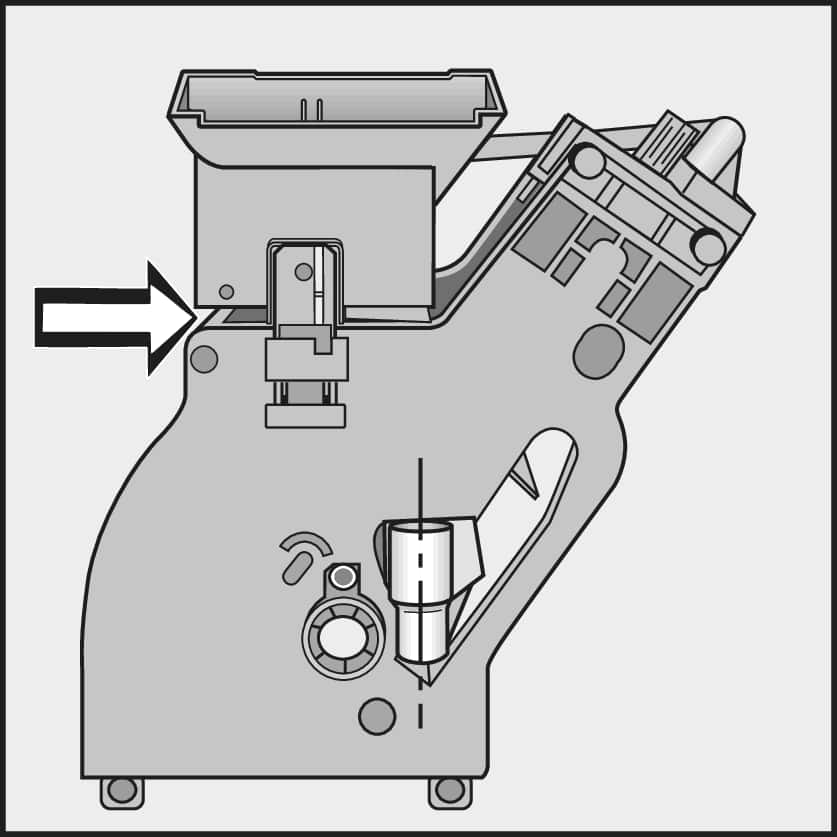
To move the brew unit back to the home position, proceed as follows:

  • Restoring | Brew unit home position | Coffee machine
  • Press down on the snap lock with your finger .

  • Push the funnel down .

  • Slide the connector all the way to the left .

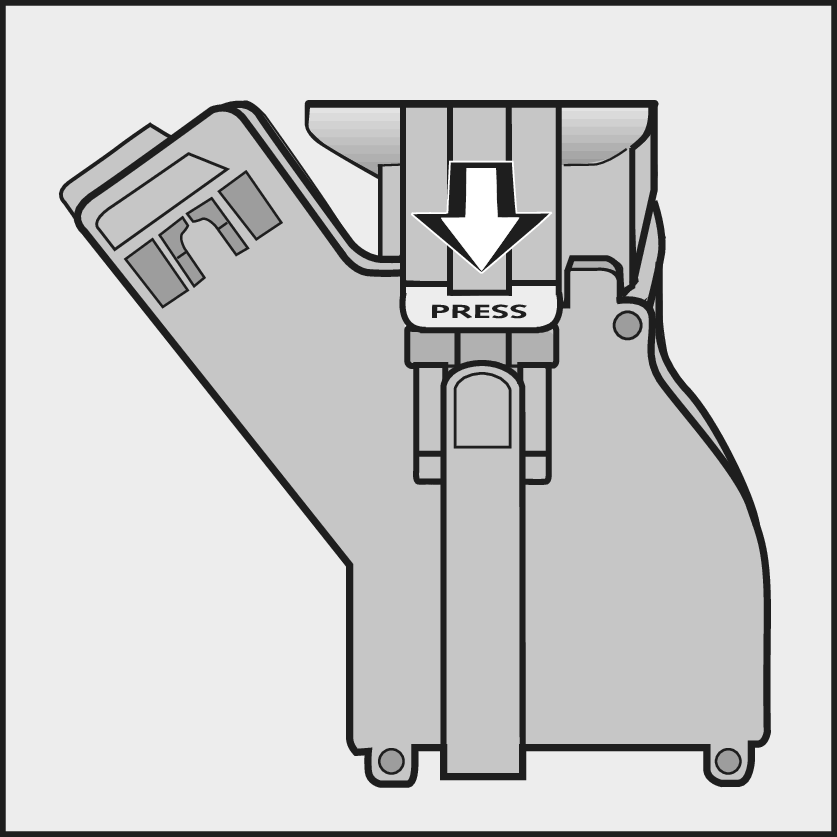
Pressing | Brew unit press | Coffee machine

To restore the home position, press PRESS on the other side of the brew unit once.

The brew unit is restored to the home position.

Correct | Brew unit home position | Coffee machine

The funnel on the brew unit is raised slightly and the connector is in a vertical position.

Slide the brew unit into the coffee machine.
If the fault persists, please contact Miele Service or book a repair appointment online.

Operating Instructions finder

Operating Instructions finder

Here you will find the operating instructions for your Miele appliances
Find your manual
Book a technician

Book a technician

We are happy to take your repair booking online or by telephone
Plan a visit
Contact us

Contact us

Visit our Contact us page to see the different ways you can speak to us.
Contact us