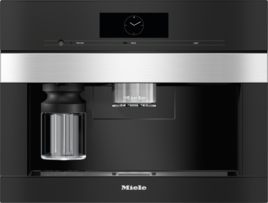
Support for your

Coffee

Coffee

Setting the water hardness (coffee machines)

Setting the water hardness (coffee machines)

Opening the coffee machine settings and setting the water hardness

  • Open the settings using the symbols that can be seen directly on the display or on the control panel: or .

  • If none of the Settings symbols can be seen directly on the display or on the control panel, open the settings as follows:

    • Touch the  (Further programs) sensor control.

    • If you do not have the  (Further programs) sensor control, touch the  (Back) sensor control.

  • Select Settings.

  • If necessary, confirm your choice with OK.

  • Select the Water hardness setting.

  • If necessary, confirm your choice with OK.

  • Select the relevant hardness level or degree of hardness.

  • If necessary, confirm your choice with OK.

Default water hardness set on the coffee machine at the factory:

  • Coffee machines with 4 adjustable hardness levels: hardness level 3

  • Coffee machines with adjustable degrees of hardness: degree of hardness 21°dH

Program the coffee machine to the water hardness level of your area so that it functions correctly and does not get damaged. Your local water authority will be able to tell you the hardness of the water in your area. If you are using bottled drinking water, e.g., mineral water, select water hardness settings according to the calcium content. The calcium content is given on the label of the bottle in mg/L Ca2+ or ppm (mg Ca2+/L).

If the water hardness fluctuates (e.g., 1016 gpg/10–15°dH), always set the highest value (in this example 16 gpg/15°dH).

If your water hardness is > 22 gpg (21 °dH), we recommend using bottled drinking water instead (< 150 mg/L Ca2+). This will mean your coffee machine will need to be descaled less often.

Do not use carbonated water.

Coffee machine settings:

  • A = Water hardness

  • B = Calcium content

  • C = Calcium carbonate content

  • D = Degree of hardness setting (coffee machines with degree of hardness setting)

  • E = Hardness level setting* (coffee machines with 4 adjustable hardness levels):

    • 1 = Soft

    • 2 = Medium

    • 3 = Hard

    • 4 = Very hard

* The hardness levels shown on the display may differ from the hardness level designations in your area. To ensure the setting you make on the coffee machine matches the water hardness level for your area, you must follow the values in the list.
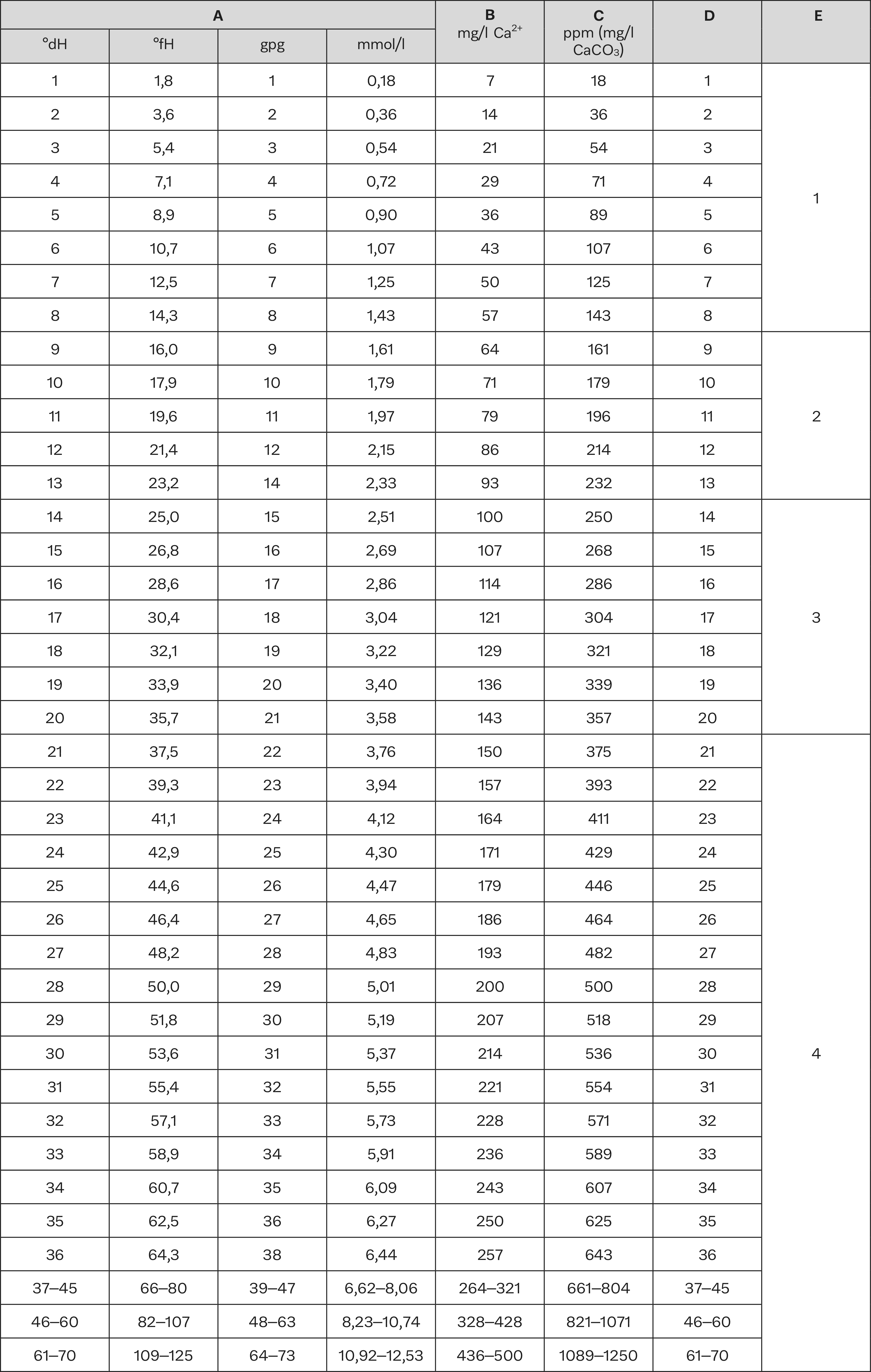
Degrees of hardness | Hardness levels | Setting

Additional media

Play video
Operating Instructions finder

Operating Instructions finder

Here you will find the operating instructions for your Miele appliances
Find your manual
Book a technician

Book a technician

We are happy to take your repair booking online or by telephone
Plan a visit
Contact us

Contact us

Visit our Contact us page to see the different ways you can speak to us.
Contact us