Support for your

Coffee

Coffee

Too little/too much dispensed

The quantity of coffee/espresso/hot water dispensed is too little or too much.

The quantity to be dispensed by the coffee machine has been set or adjusted incorrectly.

Depending on the model of your coffee machine, you can change the portion size while making a drink or via the parameter settings.

You can program the amount of water for all coffee drinks and hot water to suit the size of your cups and the type of coffee you are using.

For coffee specialties that use milk, you can also set the amount of milk or milk froth to be dispensed with these drinks, as well as the amount of coffee or espresso. Additionally, you can set the portion sizes for hot milk and milk froth alone.

A maximum portion size can be programmed for each type of drink. Dispensing stops once this has been reached. The maximum possible portion size is then saved by the appliance for this type of drink.

If the water container becomes empty while making a drink, the coffee machine will stop programming the portion size. The portion size will not be saved.
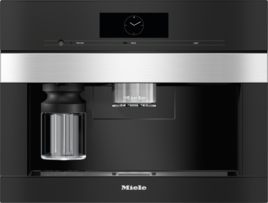
Set the quantity of coffee, espresso, and hot water to be dispensed while actually making a drink or by using the parameter settings.

You will find the description of how to change the portion size in the operating instructions for your coffee machine.

A build-up of limescale is preventing coffee/espresso/hot water from being dispensed.

Descale the coffee machine.

For details of the exact descaling procedure, refer to the operating instructions for your coffee machine.

A description of the procedure for descaling various coffee machines can be found in the article “Entkalkung starten und durchführen (Kaffeevollautomaten)”.

For thorough and gentle cleaning of your coffee machine, we recommend Miele products which also care for your appliance at the same time.

Additional media

Play video
Play video
Operating Instructions finder

Operating Instructions finder

Here you will find the operating instructions for your Miele appliances
Find your manual
Book a technician

Book a technician

We are happy to take your repair booking online or by telephone
Plan a visit
Contact us

Contact us

Visit our Contact us page to see the different ways you can speak to us.
Contact us