Support for

Cooktop

Cooktop

BAT lights up

The cooktop’s cooking zone display/cookware display shows BAT.

The charge status of the M Sense frying pan batteries is critical and they will need to be replaced soon.

Screwdriver (PH 2)

2 batteries (Murata CR2477W or Panasonic CR2477/BN)

A clean, soft, and level surface is available.

Turn the cookware over so that the underside is facing up.

Set the cookware down on the surface.
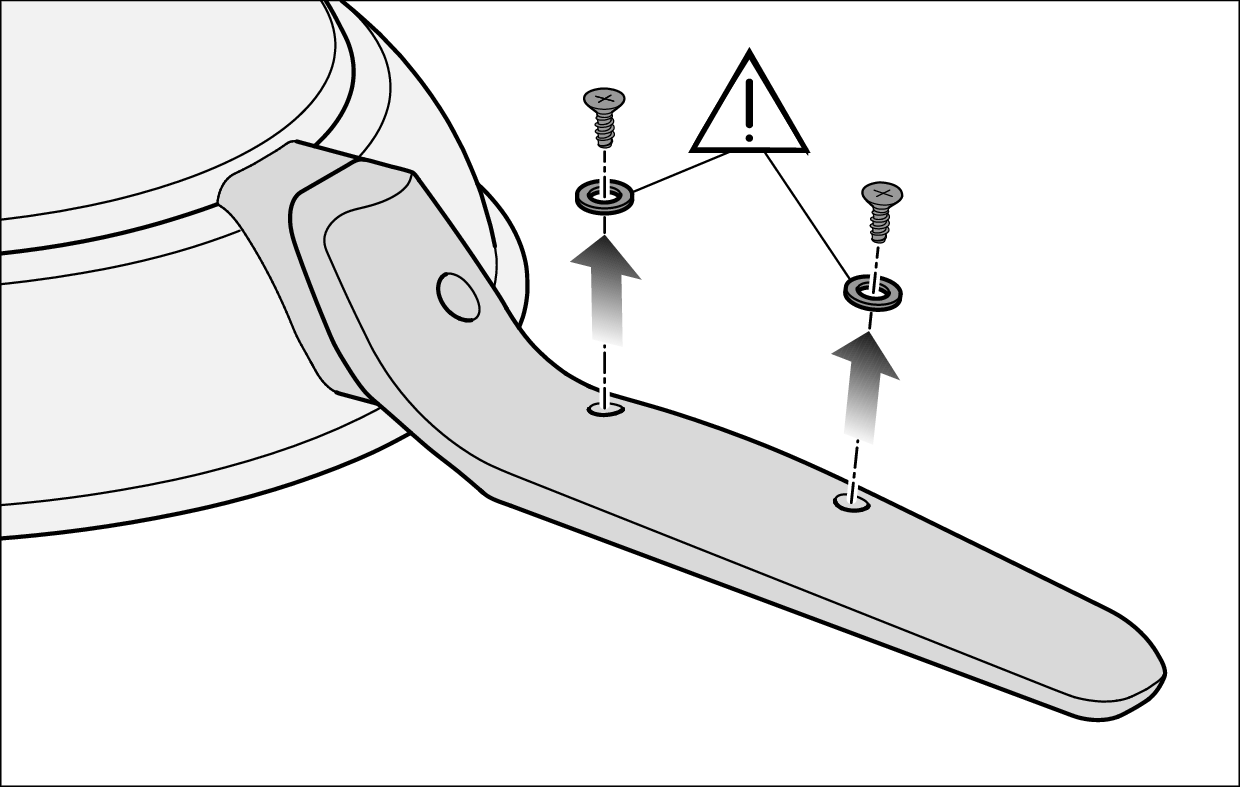
Unscrewing the screws under the handle completely | Replacing the batteries | Miele M Sense frying pan

Unscrew the screws under the handle completely and put them to one side with the seals.
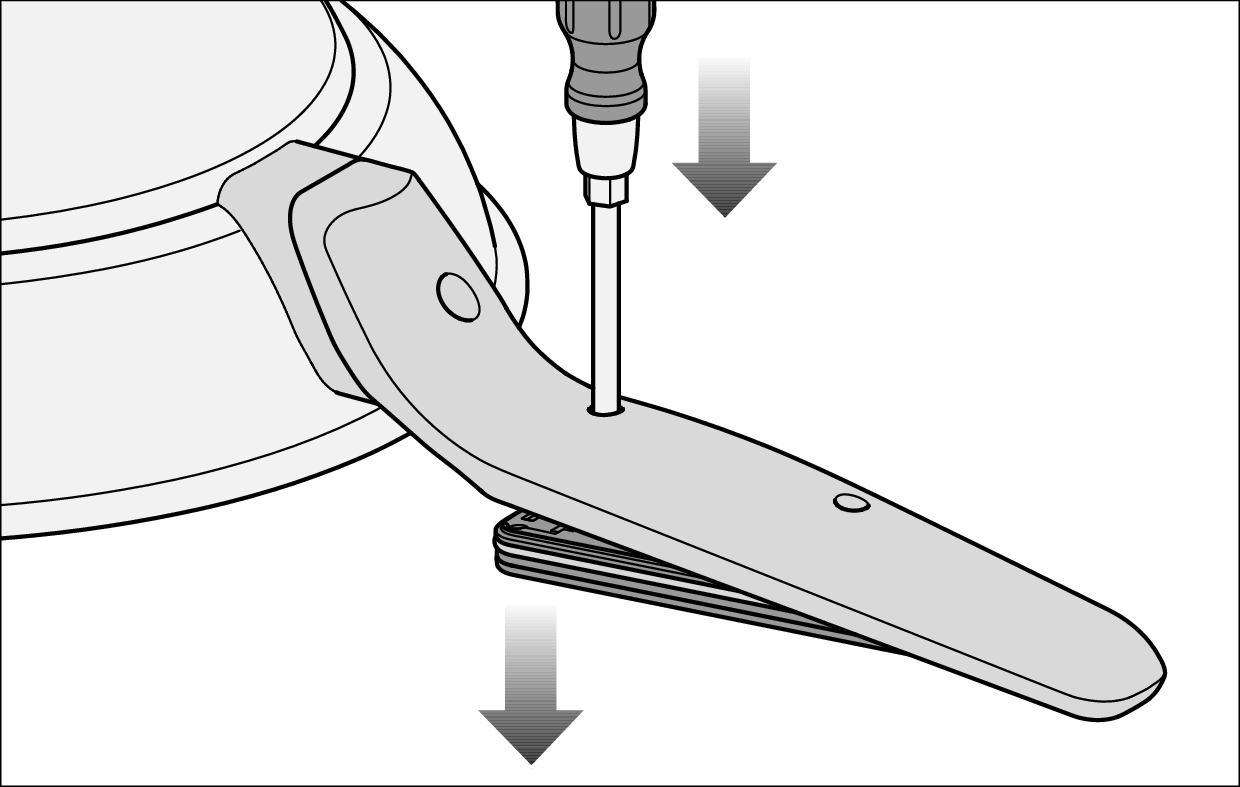
Inserting the tip of the screwdriver into the empty screw hole | Replacing the batteries | Miele M Sense frying pan

Insert the tip of the screwdriver into the empty screw hole closest to the bottom of the pan.

Press down on the screwdriver.

This will push the cover out.

Hold the cookware firmly by its edge and turn it over so that the underside is facing down.
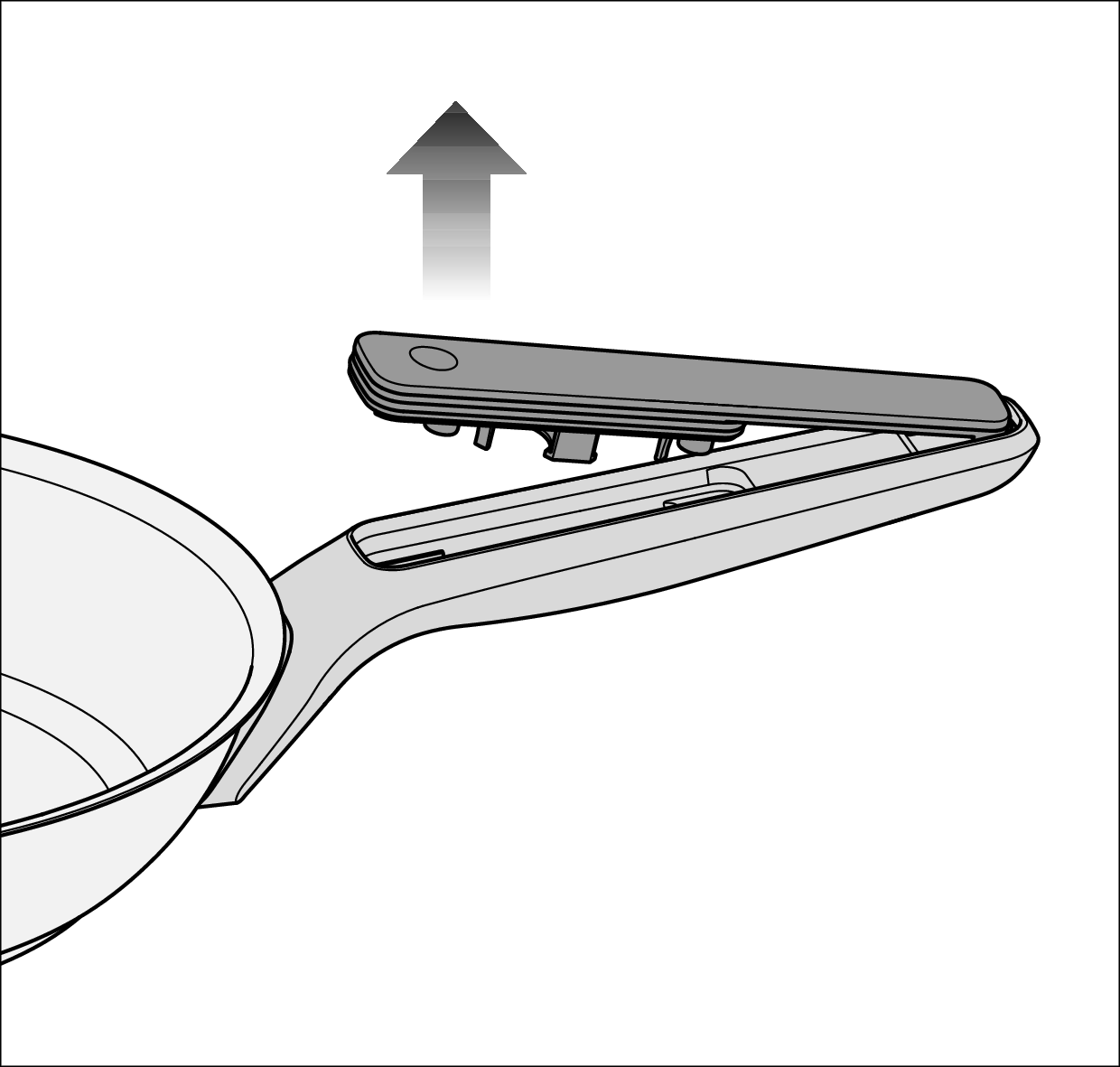
Removing the cover from the edge of the pan | Replacing the batteries | Miele M Sense frying pan

Pull the cover off toward the edge of the pan.
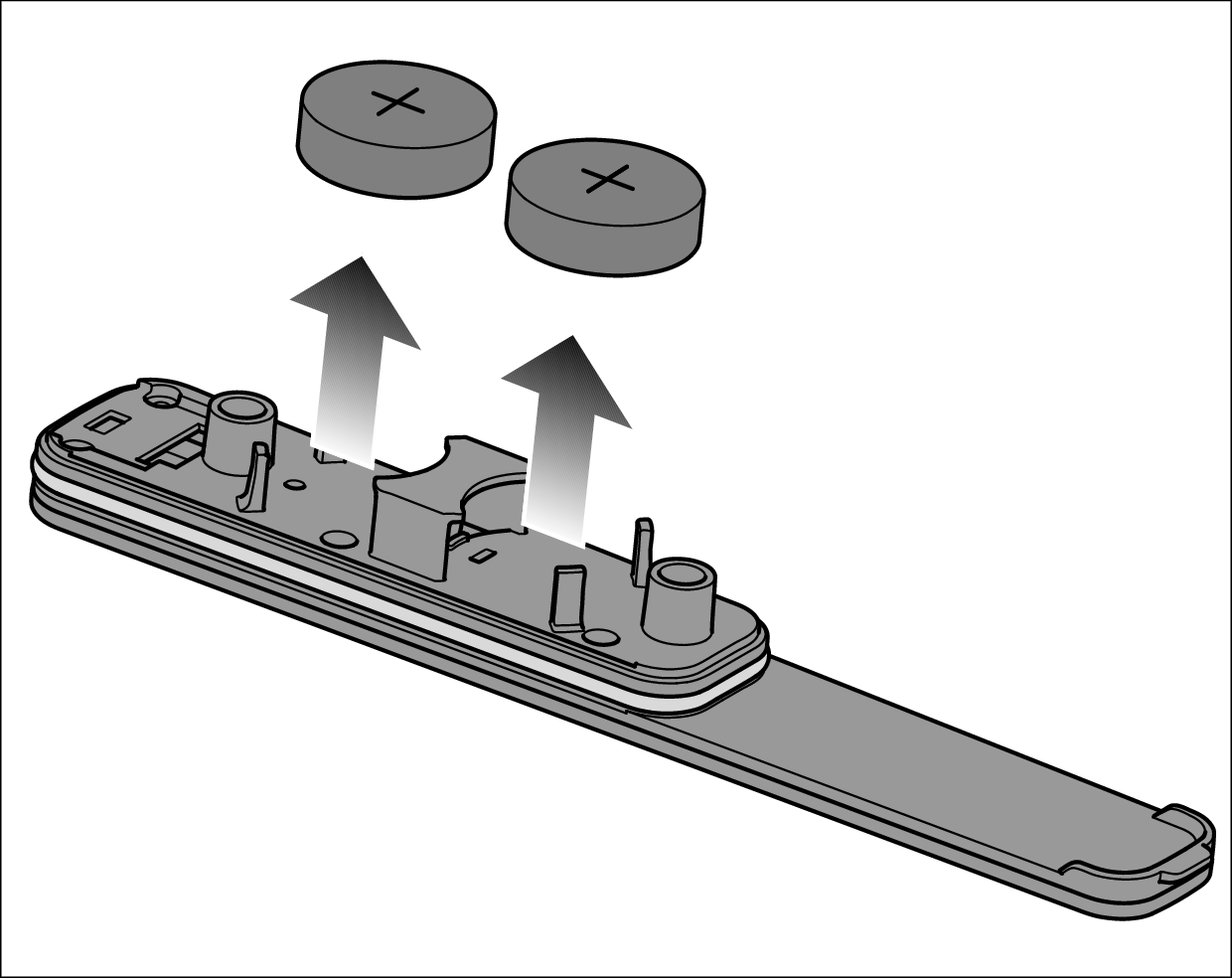
Removing the batteries from the cover | Replacing the batteries | Miele M Sense frying pan

Remove the batteries from the cover.

Insert 2 new batteries into the holders. The positive terminal (+) must point outward.
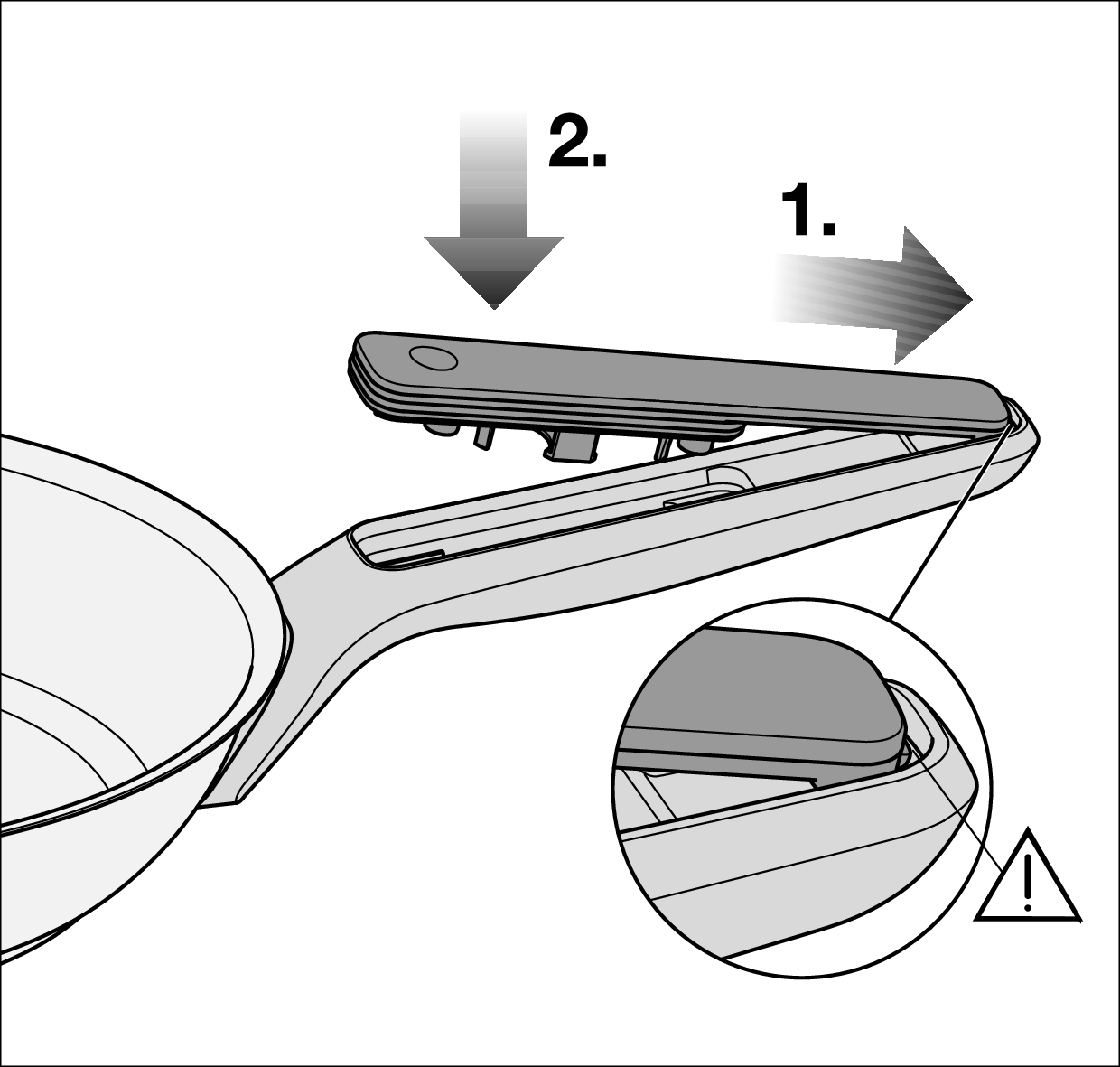
Sliding the cover back into the holder and pressing down on the handle | Replacing the batteries | Miele M Sense frying pan

If the cover does not engage correctly, the battery compartment cover may not seal properly.

Check that the cover is properly seated before screwing back together.

1. Push the cover back into the holder so that the retainer slides into the holder.

2. Press the cover onto the handle.

Install the screw seals and the screws in reverse order.
The charge status of the M Sense pot batteries is critical and they will need to be replaced soon.

Screwdriver (PH 1)

2 batteries (Murata CR2477W or Panasonic CR2477/BN)

A clean, soft, and level surface is available.

Turn the cookware over so that the underside is facing up.

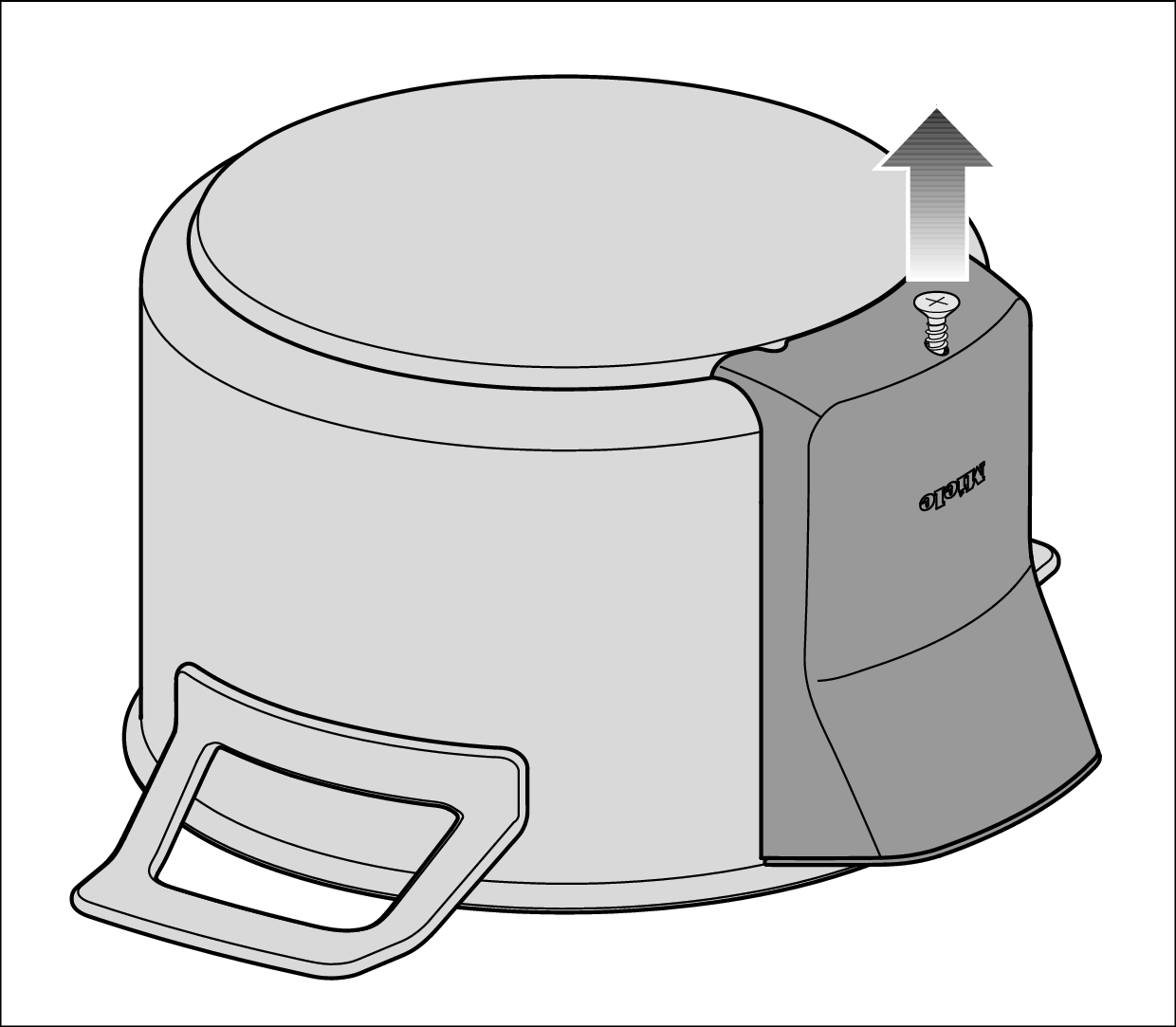
Unscrewing the screw under the cover | Replacing the batteries | Miele M Sense pot

Unscrew the screw under the cover.

The screw is difficult to reinstall.

The screw is secured so that it cannot be completely unscrewed.

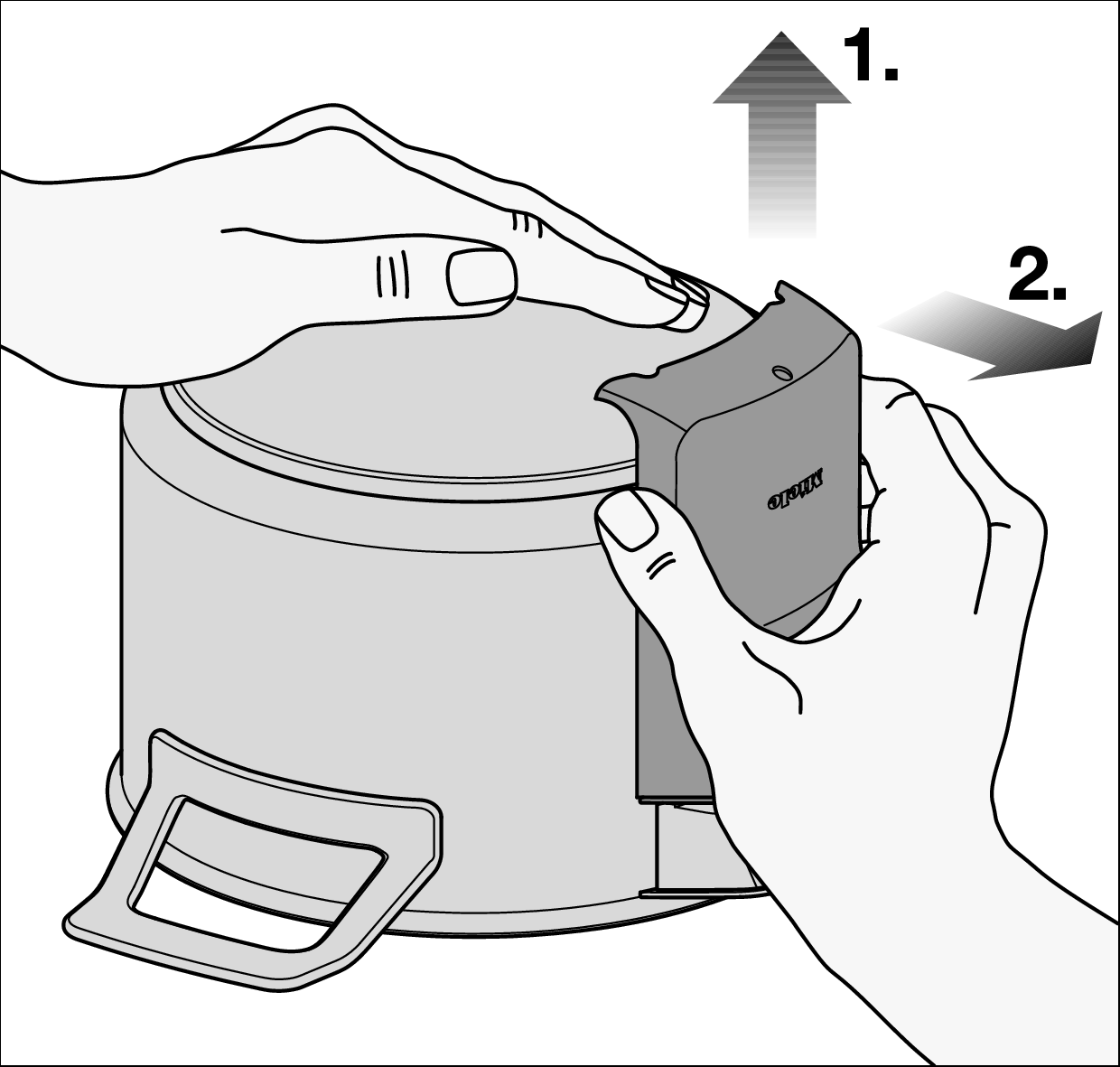
Pressing down on the underside of the cookware with your hand and pulling the cover up and forward to remove it | Replacing the batteries | Miele M Sense pot

Press down on the underside of the cookware with your hand.

1. Pull the cover up.

2. Pull the cover forward and off.

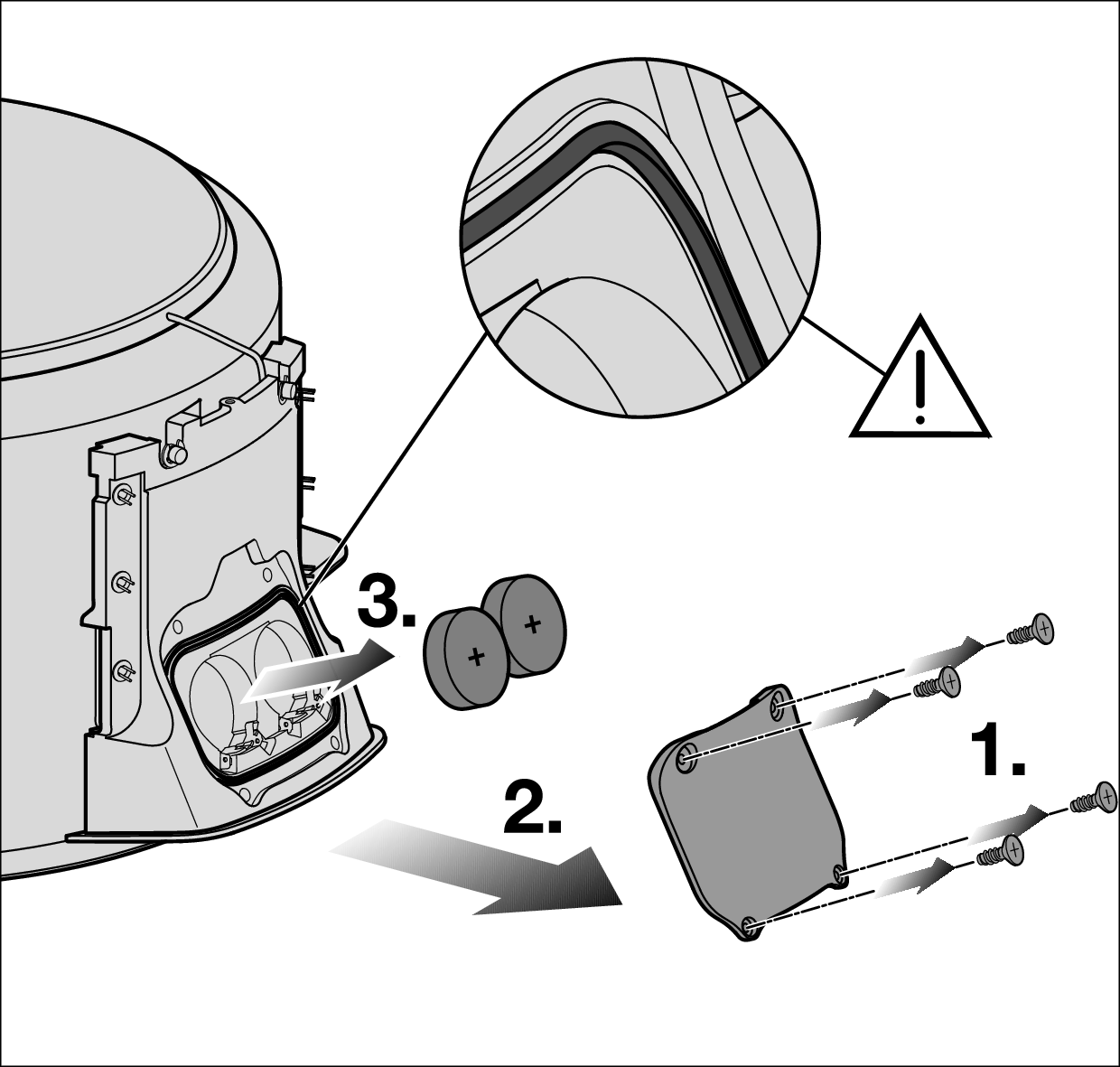
Screwing the battery compartment cover on and removing the batteries | Replacing the batteries | Miele M Sense pot

1. Unscrew the 4 screws from the battery compartment cover.

2. Remove the battery compartment cover.

3. Remove the batteries.

Insert 2 new batteries into the holders. The positive terminal (+) must point outward.

If deposits have formed behind the cover of the battery compartment, remove the deposits with an all-purpose cloth. Deposits will not affect the functionality of the cookware.

The seal can slip.

If the seal slips, the battery compartment cover is not tight.

Check that the seal is seated correctly before reassembly.

Reinstall the covers and screws in reverse order.

Operating Instructions finder

Operating Instructions finder

Here you will find the operating instructions for your Miele appliances
Find your manual
Book a technician

Book a technician

We are happy to take your repair booking online or by telephone
Plan a visit
Contact us

Contact us

Visit our Contact us page to see the different ways you can speak to us.
Contact us