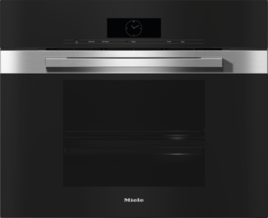
Support for your

Steam Oven

Steam Oven

Sensor controls/proximity sensor not responding

The sensor buttons or the proximity sensor do not respond.

QuickTouch is deactivated. When the combi-steam oven is switched off, the sensor controls and the proximity sensor do not respond.

As soon as the combi-steam oven is switched on, the sensor controls and the proximity sensor will respond.

If you want the sensor controls and the proximity sensor to respond even when the combi-steam oven is switched off, activate QuickTouch in the display settings.

The settings for the proximity sensor are turned off.

Change the settings for the proximity sensor.

The proximity sensor is defective.

Contact Miele Service.

The combi-steam oven is not connected to the electrical supply.

Check that the oven’s electrical plug is correctly inserted in the socket and that the socket switch has been switched to on.

Check if the breaker has tripped. Contact a qualified electrician or Miele Service.

If the display does not respond, there is a fault with the controls.

Touch and hold the On/Off button  until the display turns off and the combi-steam oven restarts.

Operating Instructions finder

Operating Instructions finder

Here you will find the operating instructions for your Miele appliances
Find your manual
Book a technician

Book a technician

We are happy to take your repair booking online or by telephone
Plan a visit
Contact us

Contact us

Visit our Contact us page to see the different ways you can speak to us.
Contact us