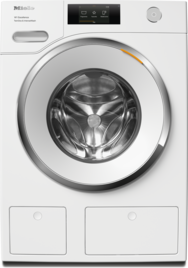
Close the water inlet.
Disconnect the washing machine from the power supply and the drain pump will stop running.
You can use the emergency release to open the door:
Risk of scalding due to hot suds.
Escaping suds will be hot if the laundry has just been washed at high temperatures.
Carefully allow all suds to drain off.
Water leak
There may be a large quantity of water left in the washing machine.
Do not activate the emergency door release before draining the water.
Carefully drain the water from the washing machine.
Note the quantity of water.
Image(s) is/are only examples
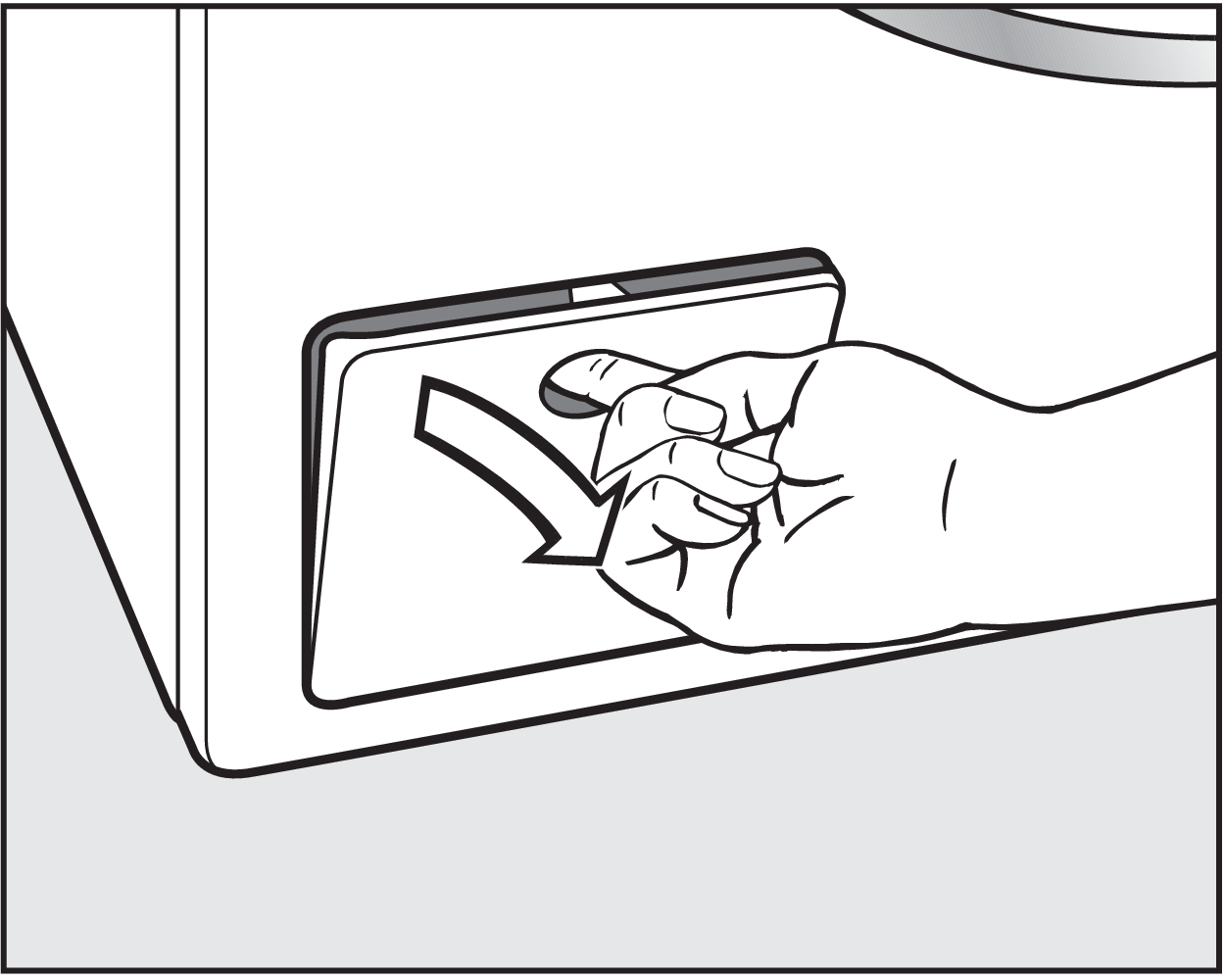
Open the access panel for the drain pump.
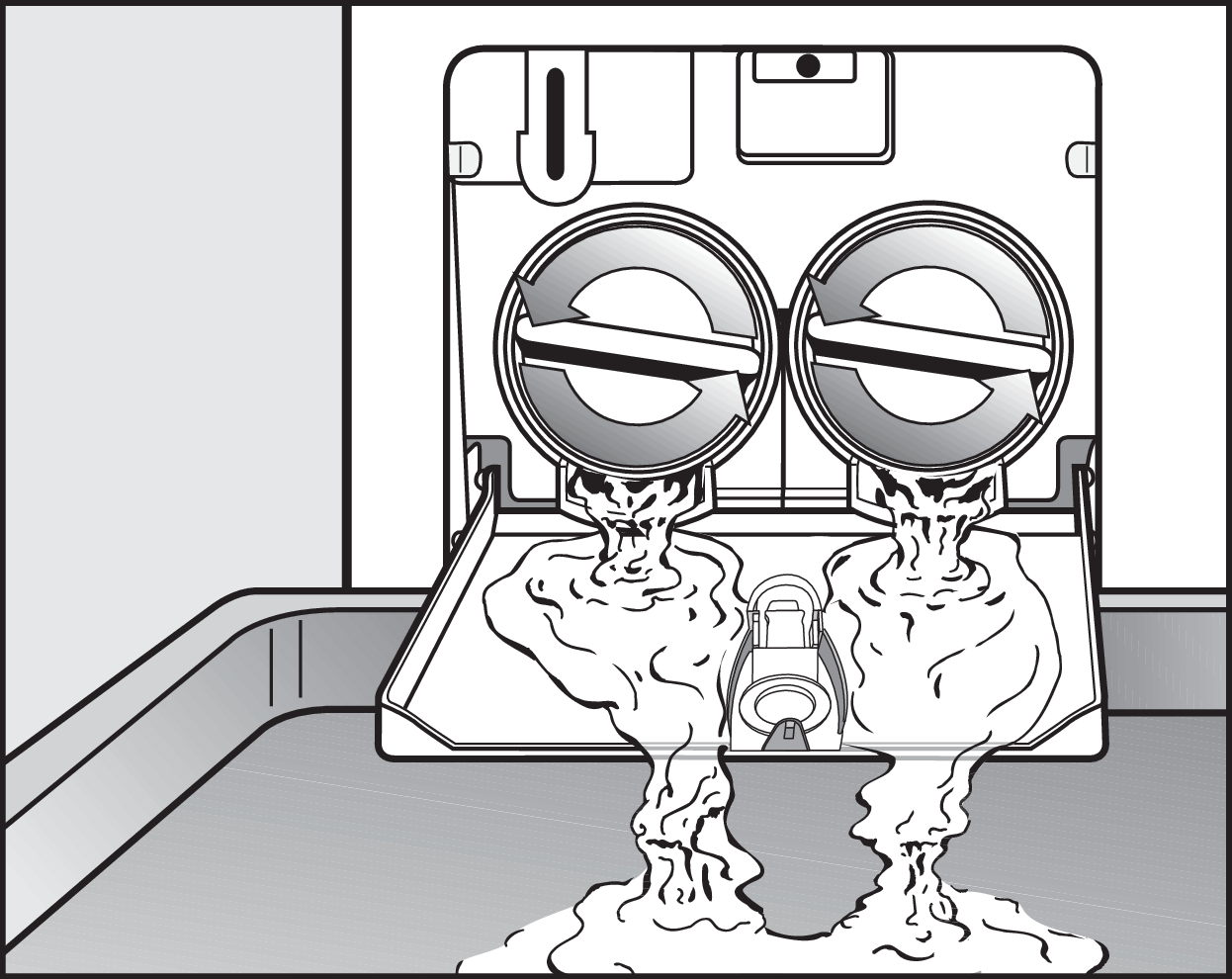
Place a suitable container under the access panel, e.g., a universal tray.
Slowly unscrew the drain filters to let the water out.
Tighten the drain filters back up again if you need to interrupt the flow of water.
When water stops flowing out, screw the drain filters tight.
If the drain filters are not screwed tight, water may leak out.
Leaking water can cause damage.
Check that the drain filters have been inserted correctly and screwed tight.
Danger of injury due to rotating drum.
Reaching into a rotating drum is extremely dangerous and may result in injury.
Always make sure that the drum is stationary before reaching in to remove laundry.
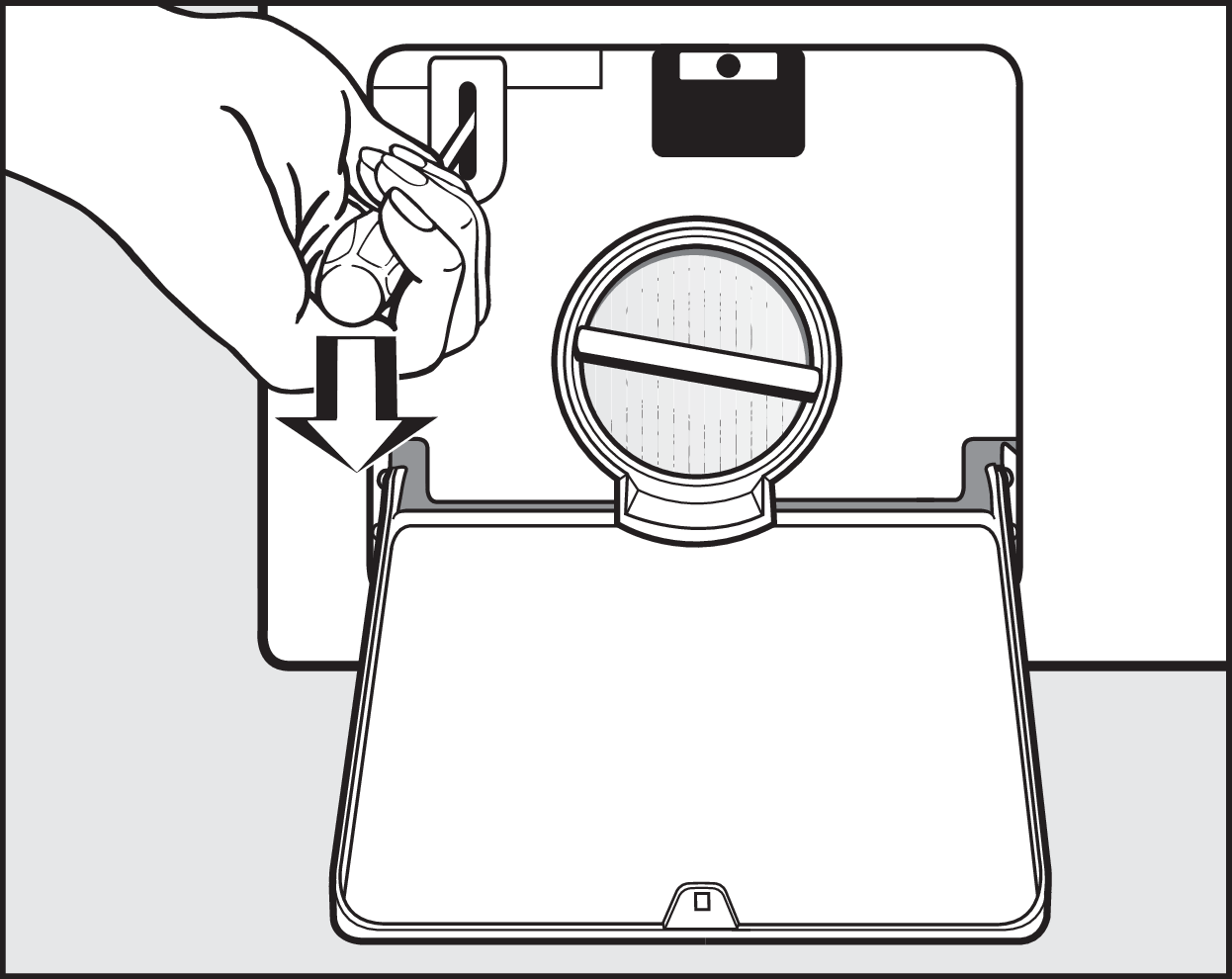
Unlock the door with a screwdriver.
Open and close the door.
Close the panel.
Contact Miele Service.